
Set camera direction
Field cameras
A deployment facing supplies context for the map and approximate lateral movement suggestions.
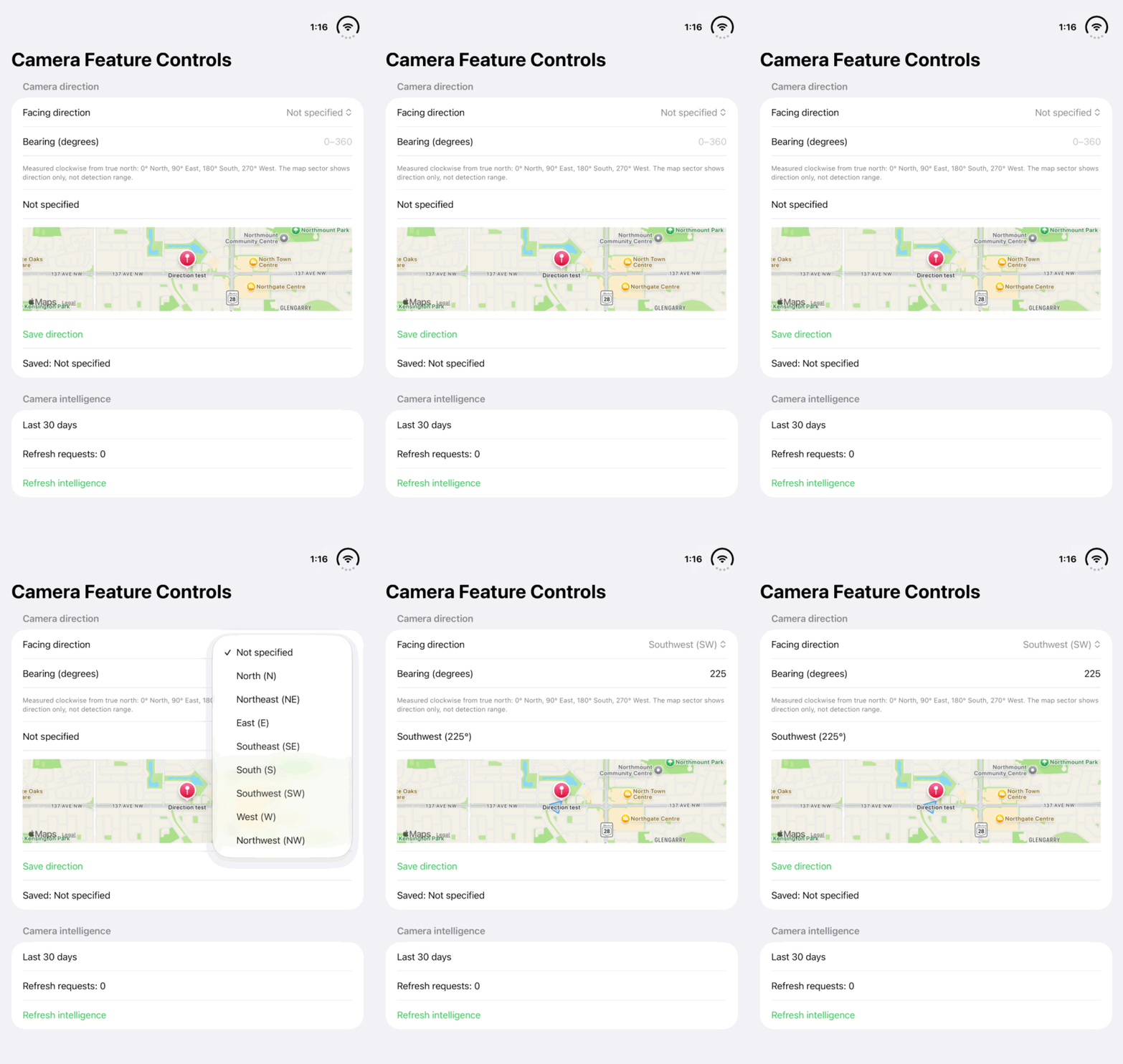
Walkthrough paused.
Follow the written steps or select Play walkthrough to watch the example.
Watch a Southwest facing direction update the bearing to 225°. The steps explain how to record direction and why the map sector represents orientation, not detection distance.Open the looping GIF
Follow along
One step at a time.
A deployment facing supplies context for the map and approximate lateral movement suggestions.
Open the camera
The owner opens its deployment record.
Choose Set Camera Direction
Enter Facing direction or Bearing (degrees) as offered by the editor.
Use true north
Enter a clockwise true-north bearing: 0° north, 90° east, 180° south or 270° west.
Save and review
Tap Save and inspect the saved facing before interpreting direction suggestions.