
Filter camera images and export evidence
Field cameras
Choose a date range, inspect AI coverage and encounter estimates, then export reviewable evidence with its settings.
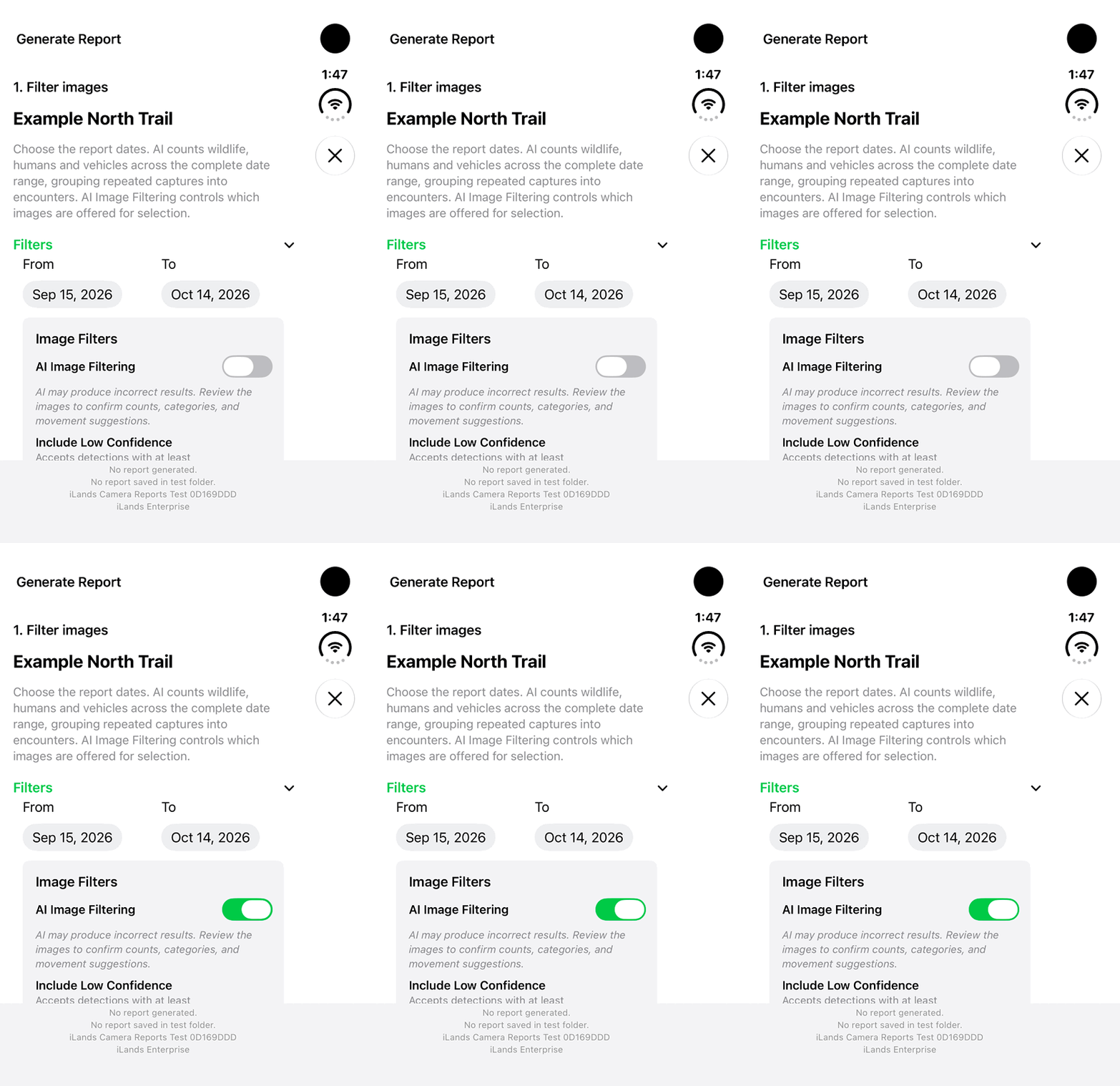
Walkthrough paused.
Follow the written steps or select Play walkthrough to watch the example.
Watch AI Image Filtering switch on in the real iPhone Duo app. Follow the steps to choose a category, review the images and check the results yourself.Open the looping GIF
Follow along
One step at a time.
Choose a date range, inspect AI coverage and encounter estimates, then export reviewable evidence with its settings.
Choose the images to review
Open a camera, set From and To, enable AI Image Filtering and select Animal, Human or Vehicle. Review confidence and Avoid recounting within settings, then tap Go.
Check coverage and interpret the counts
Keep iLands open until the complete range is analyzed. Review coverage, matching images and totals. Each encounter contributes the largest count in one image; repeated detections are grouped by timing, not recognized identity.
Give directions a map reference
The owner opens Set Camera Direction, enters true-north Facing direction or Bearing (degrees), then Save. Clear lateral motion in consecutive captures up to two minutes apart may receive an approximate direction suggestion.
Prepare a camera report
From camera image actions, choose Generate Report. Set dates, recount intervals and confidence, then Go. Check coverage and totals, select zero or more images, and tap Continue.
Choose PDF, SHP or GPKG
Choose PDF Print for a readable report, or SHP/GPKG for GIS use. PDF Print includes the first ten selected images; more than ten creates a ZIP with the PDF and all selected originals.
Save a reviewable result
Set Detection circles and Direction suggestions display options, then Generate and Save. Keep GIS packages and companions together. Preserve the date range, settings, coverage and source images when explaining a result.