
Fieldwork
A local save and completed cloud delivery are separate results.
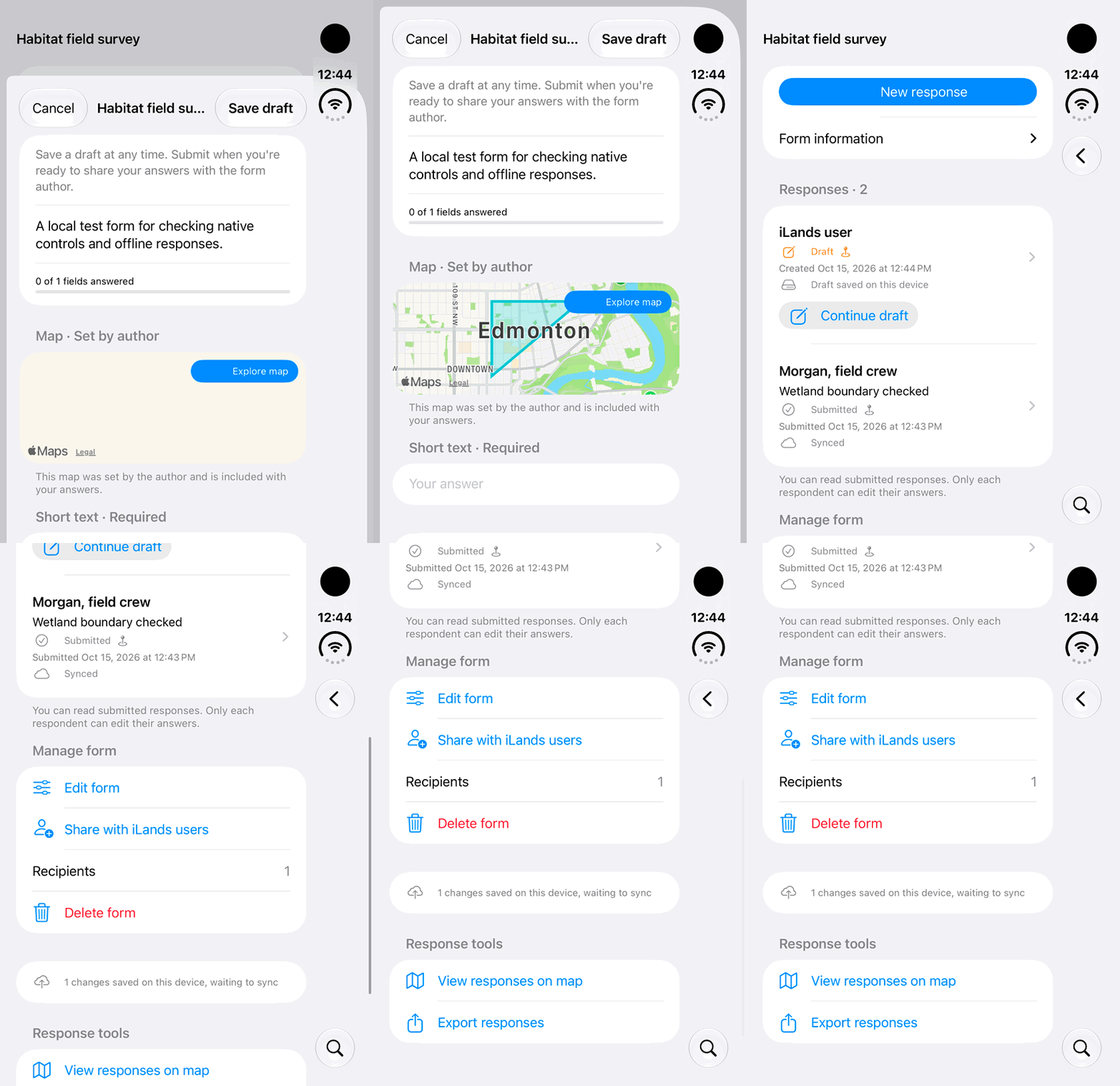
Walkthrough paused.
Follow the written steps or select Play walkthrough to watch the example.
iPhone Duo: save an example response draft locally and review the waiting-to-sync indicator. This demonstrates local pending work; no network outage, basemap download, cloud synchronization or online recovery is demonstrated.Open the looping GIF
Follow along
One step at a time.
A local save and completed cloud delivery are separate results.
Prepare while connected
Open needed records and media and verify local availability before fieldwork.
Save during fieldwork
Save observations locally and watch their status when connectivity is limited.
Reconnect and reopen
Return to iLands so queued work can continue.
Verify completion
Check sync status and use Retry Sync where available; review errors before assuming others can see the changes.