
Set and interpret recount intervals
Field cameras
Group repeated detections by timing while preserving the original images for review.
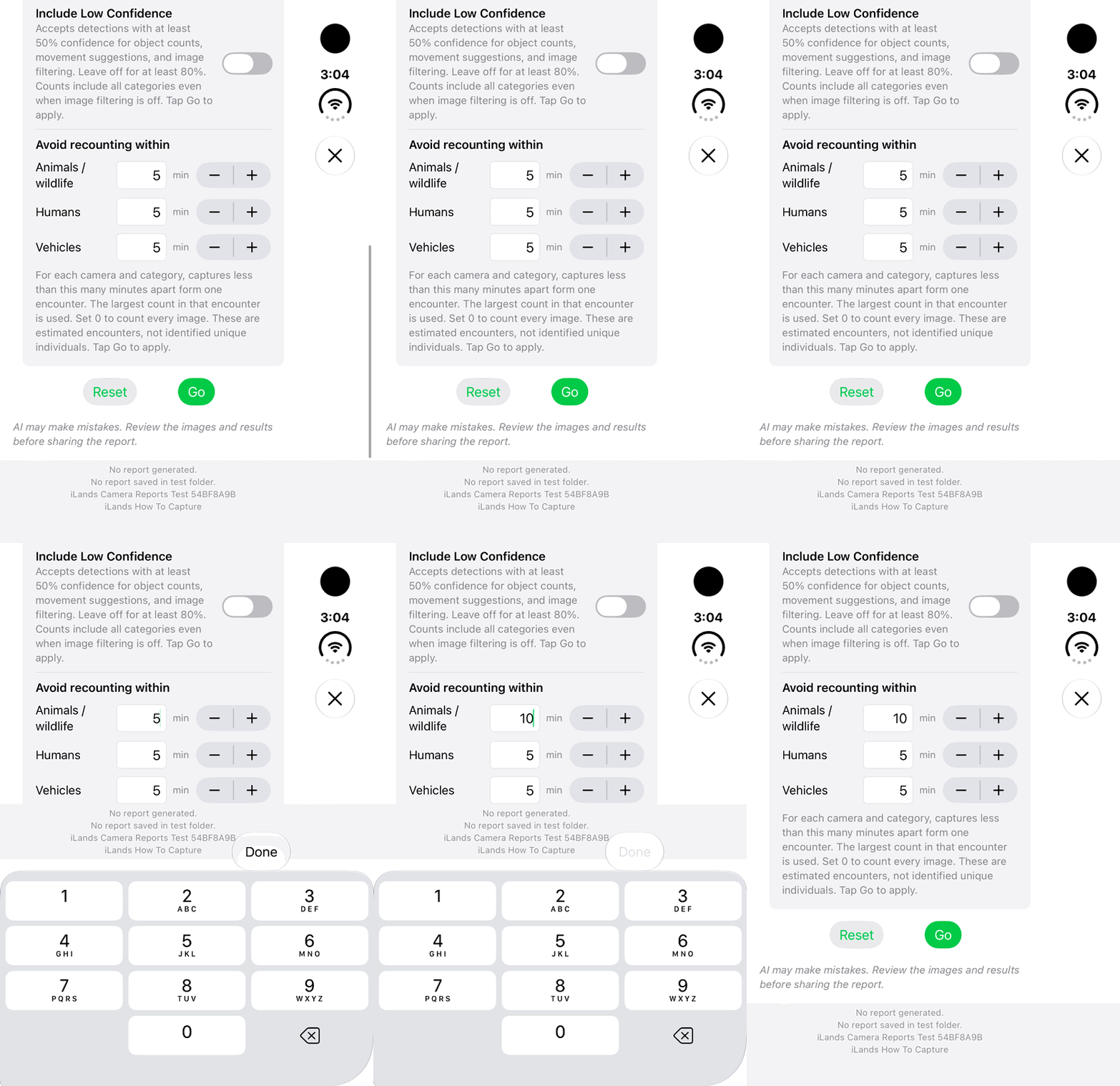
Walkthrough paused.
Follow the written steps or select Play walkthrough to watch the example.
iPhone Duo: change the wildlife recount interval from 5 to 10 minutes. This draft-setting example does not run or verify an analysis.Open the looping GIF
Follow along
One step at a time.
Group repeated detections by timing while preserving the original images for review.
Open AI Image Filtering
Select From and To, subject and confidence controls.
Set Avoid recounting within
Enter independent wildlife, human and vehicle intervals, or use plus and minus.
Tap Done, then Go
Close the numeric keyboard and apply the complete set of dates and settings.
Interpret the summary
Wait for complete coverage. Each encounter contributes the largest visible count in one image; a gap equal to or longer than the interval starts a new encounter.