
Review Blocked Users
Account care
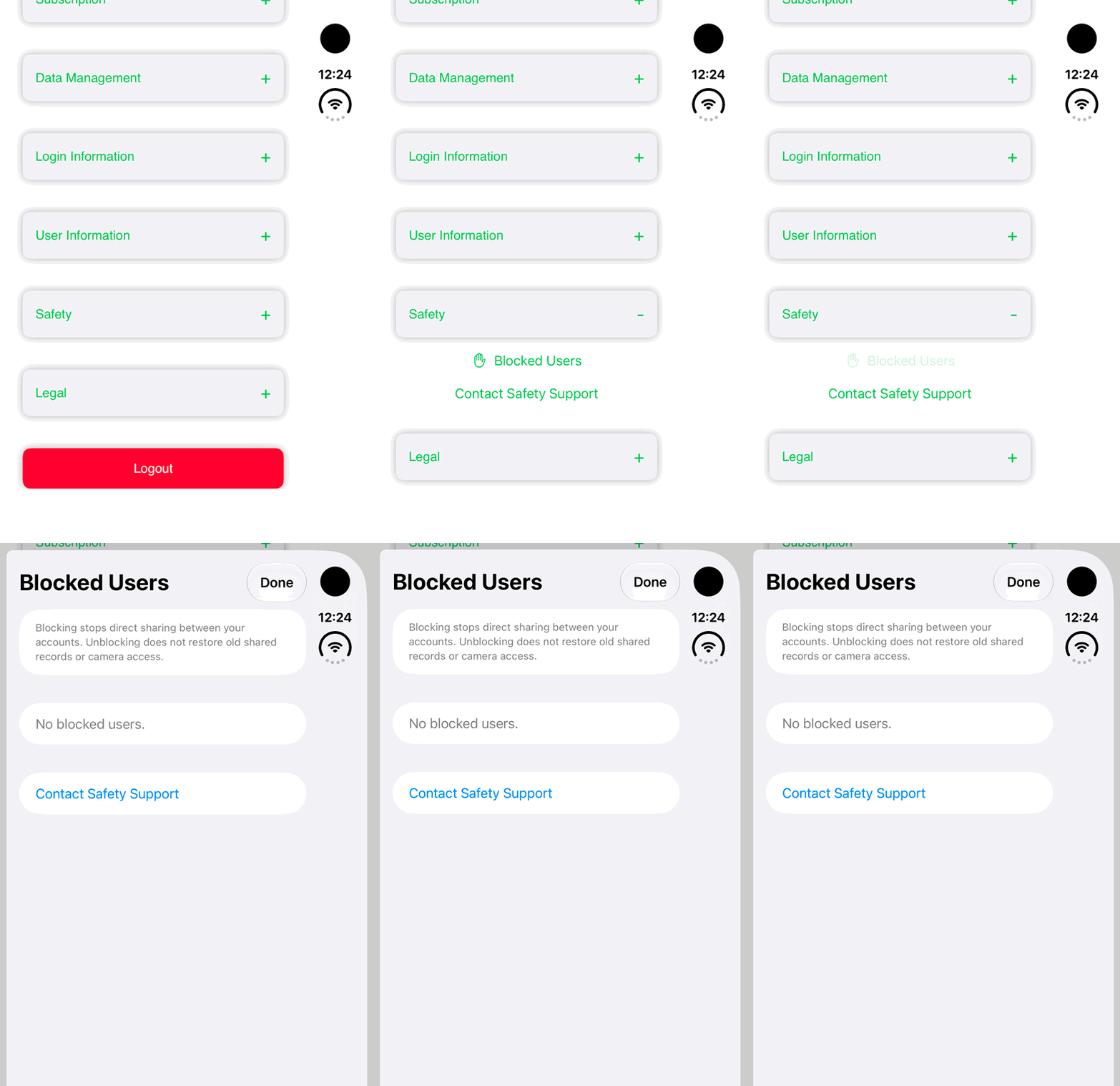
Find the Blocked Users list in Safety settings. This walkthrough reviews the empty list without changing anyone’s access.
Walkthrough paused.
Follow the written steps or select Play walkthrough to watch the example.
iPhone Duo: open Settings, expand Safety and review the empty Blocked Users list. No reporting, blocking, unblocking or sharing access change is demonstrated.Open the looping GIF
Follow along
One step at a time.
Find the Blocked Users list in Safety settings. This walkthrough reviews the empty list without changing anyone’s access.
Open Settings
Navigate to Settings and find the Safety section.
Expand Safety
Tap the section’s plus control to reveal Blocked Users and Contact Safety Support.
Review Blocked Users
Open Blocked Users and read the list or empty state. The example shows No blocked users; it does not report, block or unblock anyone.