
Invite form respondents
Collaboration
Send a published form to the existing iLands users authorized to respond.
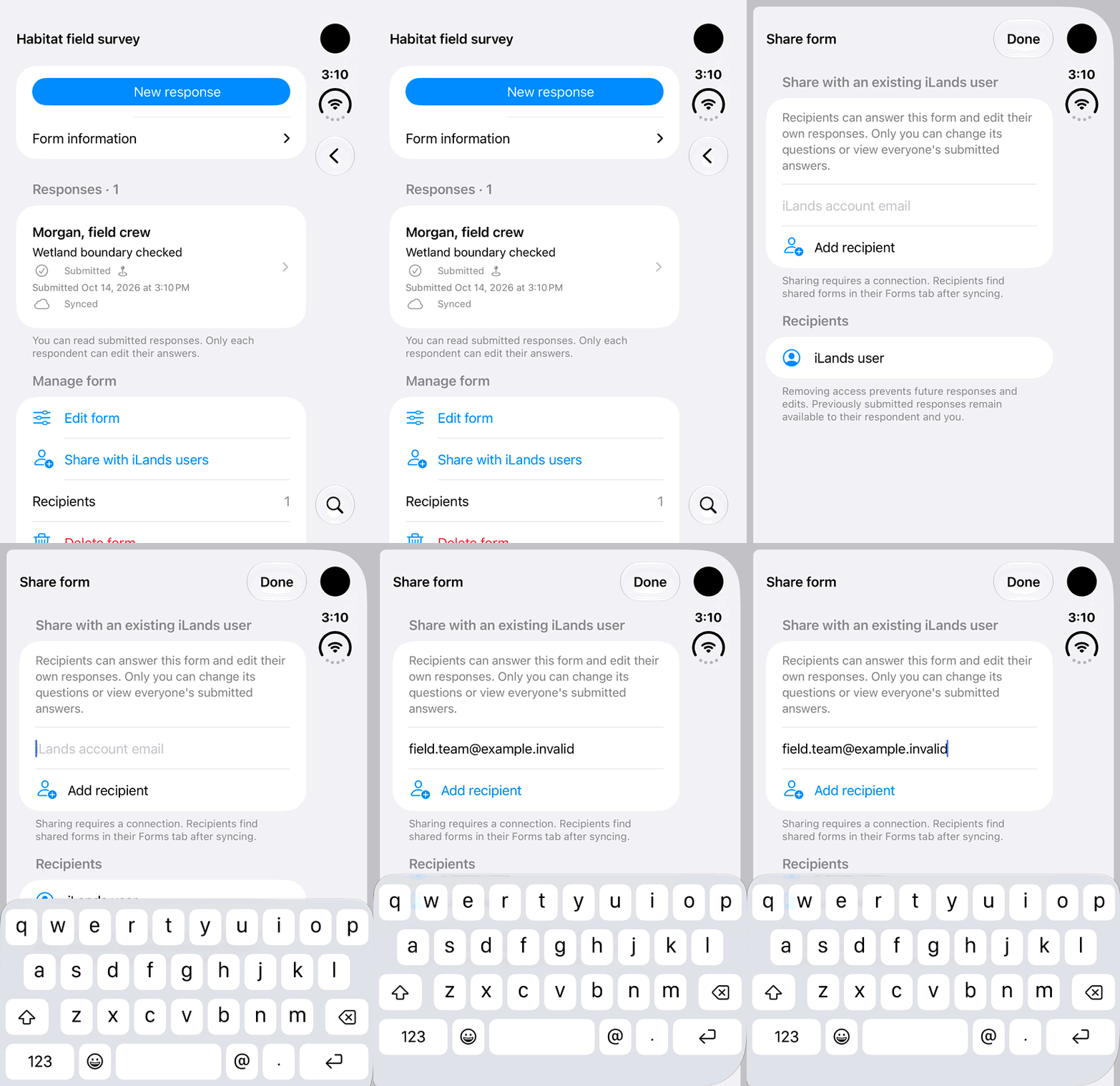
Walkthrough paused.
Follow the written steps or select Play walkthrough to watch the example.
iPhone Duo: open Share with iLands users and enter a recipient address. The fictional address is not sent or looked up in this demonstration.Open the looping GIF
Follow along
One step at a time.
Send a published form to the existing iLands users authorized to respond.
Open Manage form
Open the form and choose Share with iLands users.
Add the account email
Enter the recipient’s existing iLands account email and tap Add recipient.
Wait for sharing sync
Sharing needs internet and must synchronize before access is delivered.
Open Shared with me
The invited user finds the form in Shared with me and chooses New response.