
Resolve common fieldwork problems
Getting started
Preserve local work and read the actual error before retrying.
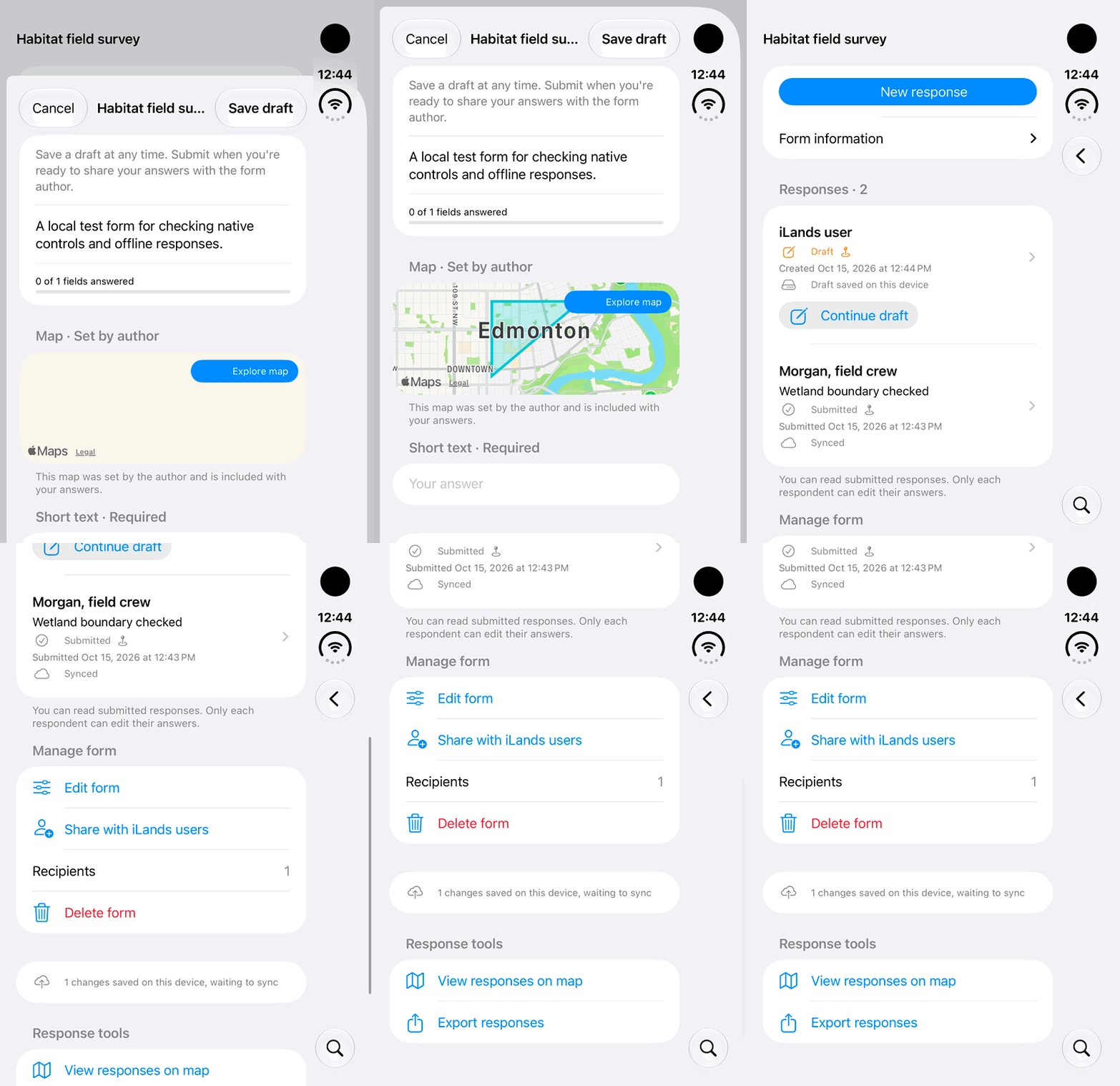
Walkthrough paused.
Follow the written steps or select Play walkthrough to watch the example.
iPhone Duo: recognize a locally saved response draft and the waiting-to-sync indicator. No network outage, Retry Sync action, cloud delivery or completed recovery is demonstrated.Open the looping GIF
Follow along
One step at a time.
Preserve local work and read the actual error before retrying.
Read the message
Note the action, displayed error and time without recording passwords or tokens.
Check account and connection
Verify current account, connectivity and access to the record.
Check synchronization
A local save may still be waiting. Reconnect, reopen iLands and use Retry Sync where offered.
Check workflow-specific causes
For shared work review closure or revoked access; for a Not Connected camera check serial, forwarding and a new test image. Use the website contact option if help is needed.