
Change an email-account password
Settings
Verify the old password before updating the account credentials.
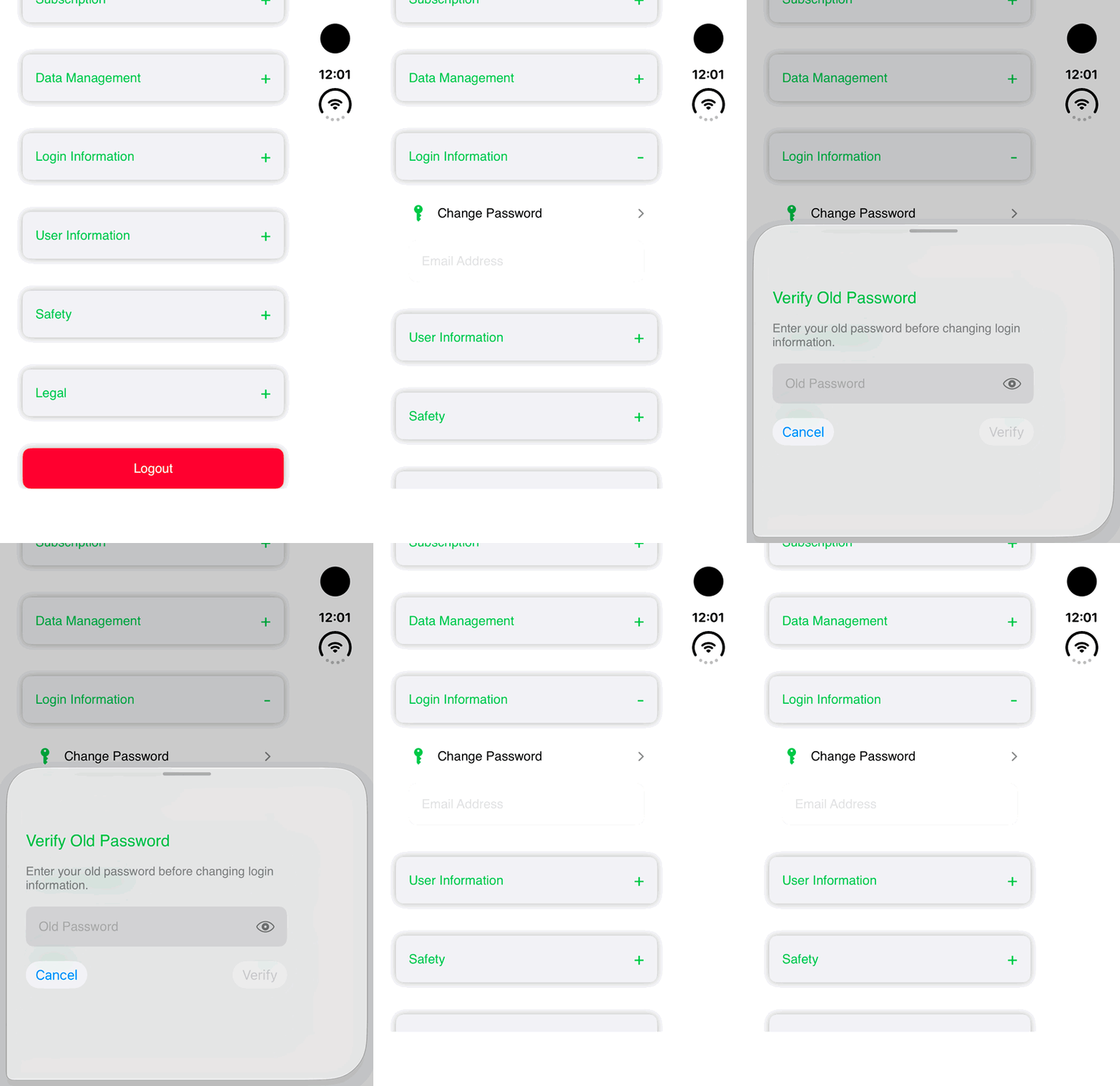
Walkthrough paused.
Follow the written steps or select Play walkthrough to watch the example.
iPhone Duo: open Login Information → Change Password and review the empty Verify Old Password sheet, then cancel. No password is entered, verified or changed.Open the looping GIF
Follow along
One step at a time.
Verify the old password before updating the account credentials.
Open Login Information
Choose Settings → Login Information.
Tap Change Password
Verify the old password as prompted.
Enter the new password twice
Use matching values that meet displayed requirements.
Tap Update
Follow any verification or error message before leaving.